1. Click Start or press the Windows key.
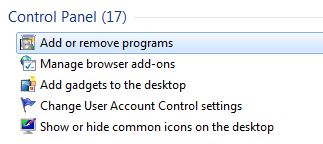
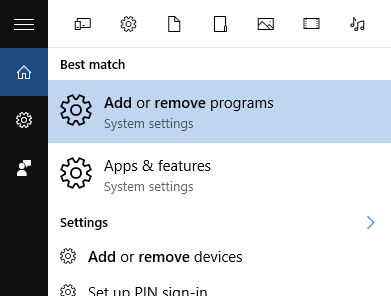
2. Type "Add remove" in the search box. A link to Add or Remove programs will show up in the search results.
Windows 7:
Windows 8:
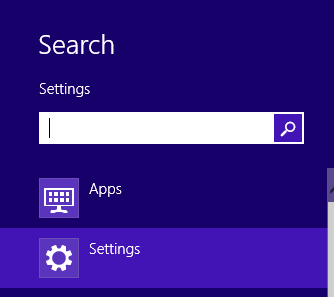
If your workstation is running Windows 8, make sure that the search context is set to Settings as shown in the screenshot below.
Windows 10:
3. Click Add or Remove programs.
4. In the search box (top right corner), type lynx to filter the list of programs.
Windows 7 / 8
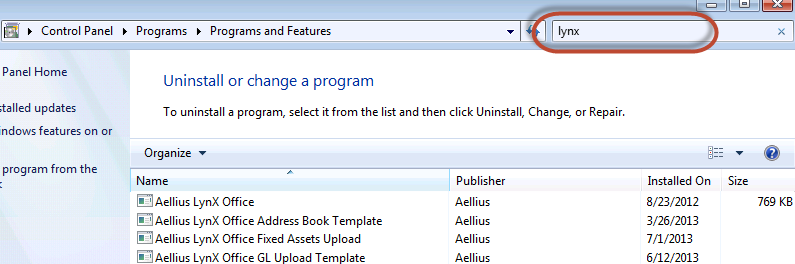
Windows 10
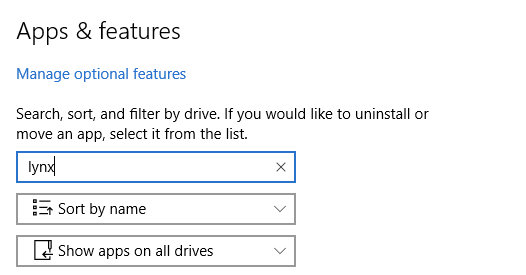
5. Select the template you want to uninstall. Right-click the template and click Uninstall. You will be promoted to confirm that you want to uninstall the template. Click OK to continue. Click Cancel to stop the uninstall.

0 Comments